

Best Scriptwriting Software for TikTok Drama Teams
A shared script can fall apart surprisingly fast. One writer is revising scene 12, another is reworking episode three, a producer is asking for a cleaner export, and someone is still tracking story beats in a separate whiteboard tool. If you are looking for the best scriptwriting software for teams, the real question is not who has the prettiest page. It is which platform keeps the whole project moving.
For solo writers, almost any decent screenplay app can do the job. For teams, the standard is higher. You need collaboration that does not create version chaos, structure that supports episodic development, and enough production logic to take a project from concept to usable draft without scattering the work across five different tools.
That matters even more in short-form serial and vertical drama. These projects move quickly, often involve multiple contributors, and rarely follow a simple one-path narrative. The software has to support speed without flattening the story.
What the best scriptwriting software for teams actually needs to do
A lot of software claims collaboration because two people can technically open the same document. That is not the same thing as team-ready writing. Good team software needs to support parallel work without making the script fragile.
At a minimum, that means real-time editing, comments, clear version history and permissions that make sense for writers, editors and production leads. But that is only the baseline. The stronger platforms also help teams manage story structure before pages become a problem. If your outlining, beat mapping and script drafting all live in different places, collaboration becomes admin.
This is where trade-offs start to matter. Some tools are excellent for traditional linear screenplays but become awkward when you are building branching paths, multiple endings, or tightly linked episode arcs. Others are good at visual planning but weak once the team needs proper script formatting and line-by-line revision control. The best choice depends on the kind of project your team is actually making.
Collaboration is only useful if the workflow stays intact
Writers do not lose time because they cannot type fast enough. They lose time handing work between tools. Outline in one platform, draft in another, collect feedback in a chat thread, export into a separate production format, then try to work out which file is current. That is where momentum dies.
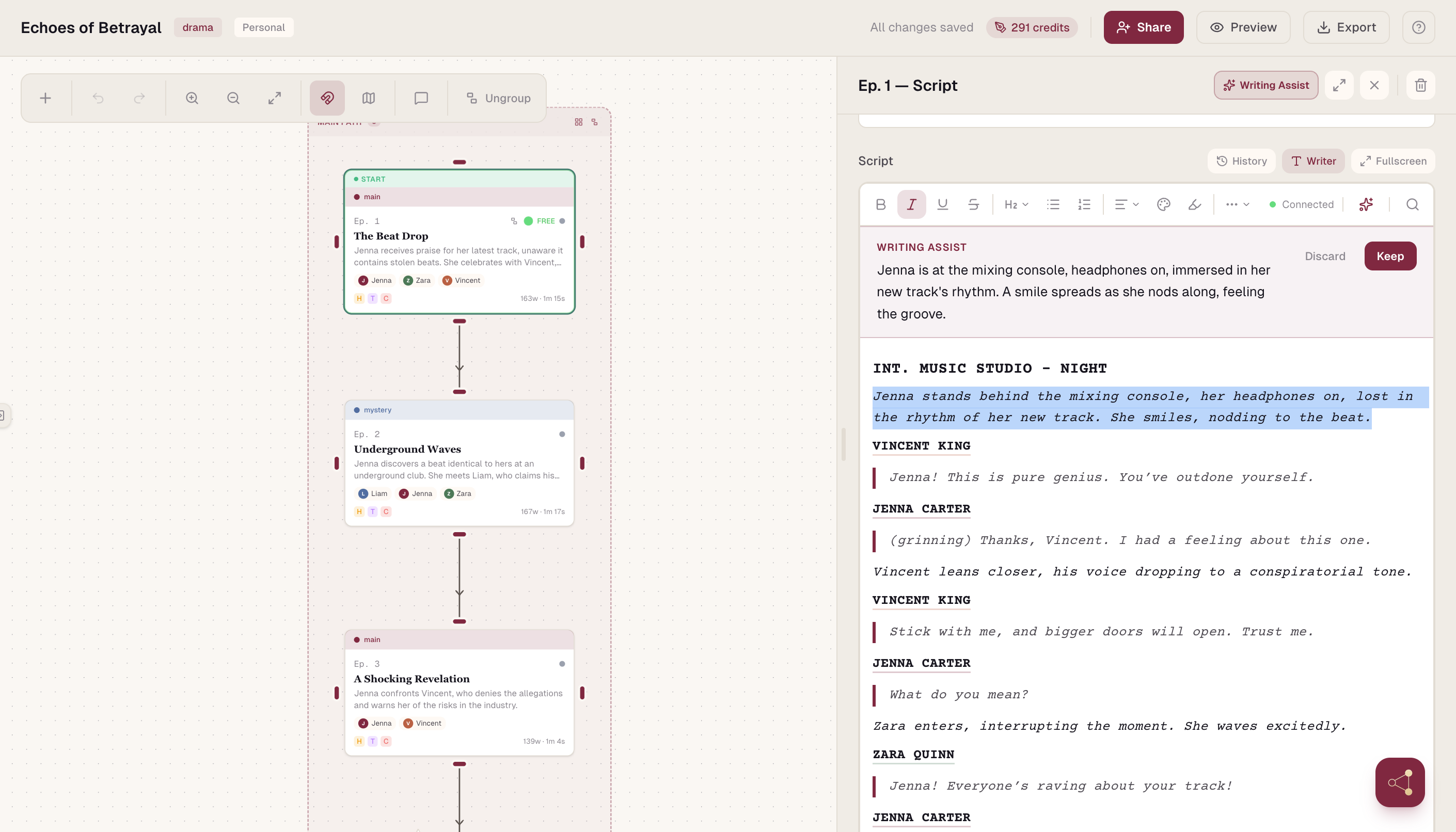
The best platforms reduce those handoffs. Instead of treating the screenplay as an isolated document, they treat it as one part of a larger development workflow. For episodic teams, that usually means keeping series structure, episode planning, scene logic and script pages connected.
This is especially important when more than one person is shaping the same story:
- A head writer may need to see the season arc
- A staff writer may be focused on one episode
- A producer may want visibility into what is draft-ready
If the software cannot serve all three views without duplication, the team ends up managing the tool instead of the project.
Traditional scriptwriting apps still have a place
Some established screenplay tools remain strong options for teams working on conventional film or TV scripts. Their strengths tend to be familiar formatting, stable drafting environments and industry-standard outputs. If your process is straightforward and your team mainly needs commenting and revision management, those tools can still be a sensible fit.
The limitation appears when the project stops being straightforward. Traditional apps were built around the assumption that a script moves from page one to the final page in a single line. That works for many productions. It works less well for branching drama, mobile-first serial storytelling, and projects that need visible relationships between episodes, choices and narrative states.
So yes, classic scriptwriting software can be enough. But enough is not always efficient.
Why episodic and branching teams need more than a script editor
If you are developing for vertical platforms, your workflow is already different. Episodes are shorter, hooks matter earlier, pacing is more compressed, and story logic often needs to support rapid turnarounds. In branching projects, the complexity rises again. One plot decision can affect multiple later scenes, character paths and emotional payoffs.
A plain document editor does not show that clearly. Teams often patch the gap with spreadsheets, boards and extra planning software. The result is a fragmented process where the script is never fully connected to the story system behind it.
That is why the best scriptwriting software for teams in this space usually combines writing with story architecture. You need to see how scenes connect, where branches split, which episodes carry which arcs, and how changes in one part of the narrative affect another. Without that visibility, collaboration becomes reactive.
The features that matter most when choosing a platform
Real-time collaboration
Not all real-time systems are equal. The best ones make it clear who changed what and when, without turning the interface into a live traffic report. Writers need presence, not distraction.
Version history
Team writing always involves false starts, rewrites and experimental directions. A strong version system lets you move quickly because nothing feels irreversible.
Story mapping
This is where modern tools begin to separate themselves. For linear projects, a scene board may be enough. For branching or serial work, teams benefit from node-based planning, connected narrative logic and a visual overview of episode flow. That is not a nice extra. It is operational clarity.
Import and export
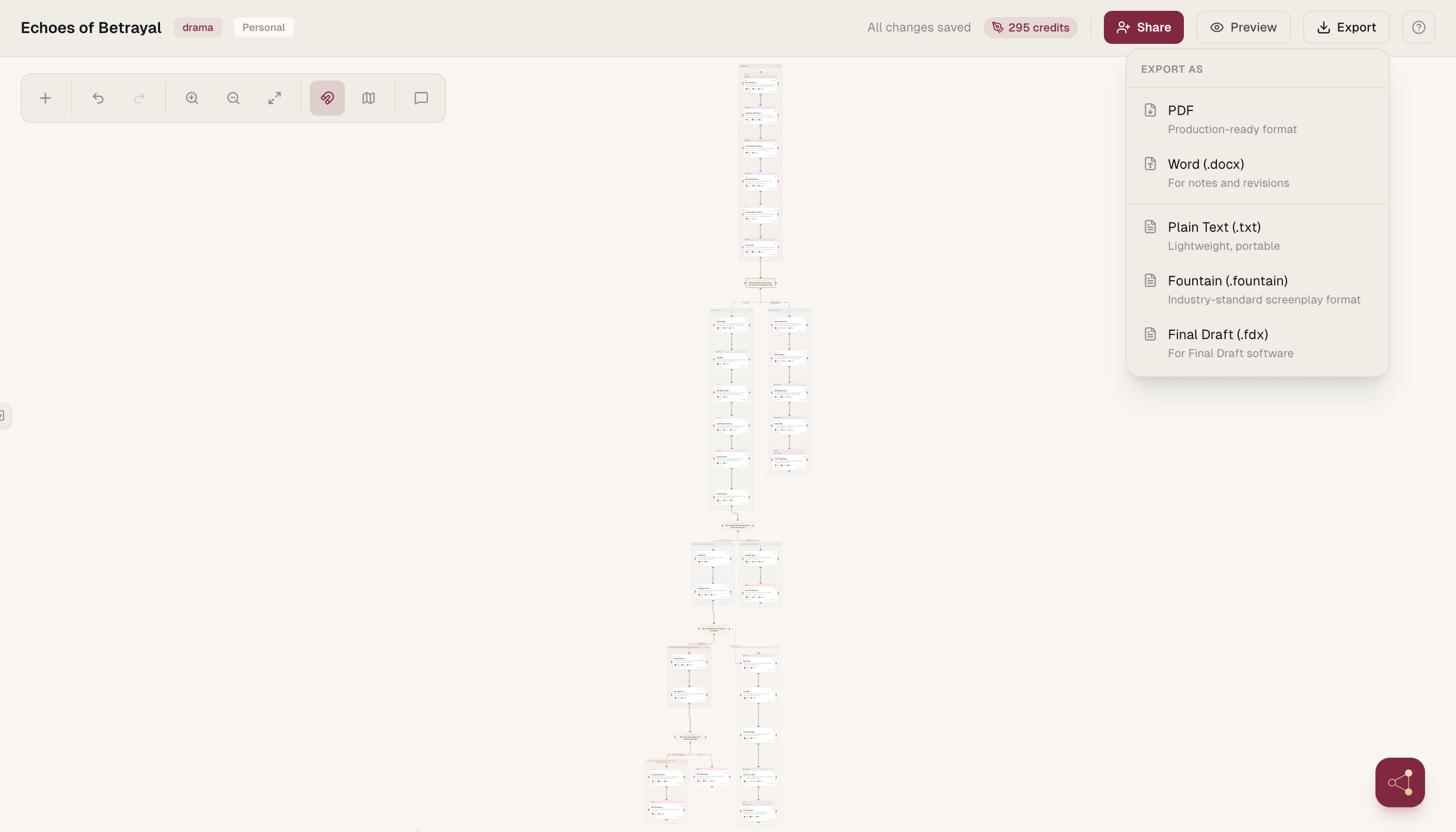
Teams rarely work in a closed loop. You may need to bring in existing drafts, move scripts into production workflows, or deliver files in formats other departments already use. If the software makes that painful, collaboration slows at the exact point the project should be accelerating.
Permissions and role management
A writers' room does not need the same access model as a solo drafting app. Producers, editors and co-writers need different levels of control. Clean permissions reduce mistakes and make shared work feel safer.
Where all-in-one platforms pull ahead
For teams building fast-moving, multi-episode stories, all-in-one platforms have a genuine advantage. They shorten the distance between idea, structure, draft and revision. Instead of forcing the team to translate the project from one tool into another, they keep the creative and operational layers connected.
That is particularly useful when the story is non-linear or commercially driven by speed. If your team is developing branching short-form drama, a platform like Scenvii makes sense because it is built around that exact production reality: visual story mapping, inline scriptwriting, collaboration and production-oriented exports in one environment. That focus matters. It means the software is not asking your workflow to behave like a traditional feature screenplay when your project clearly does not.
Of course, a specialised platform is not automatically the right answer for every team. If you only write conventional scripts and your process is already stable, a broader industry-standard tool may be enough. But if your team keeps compensating for missing structure with extra documents and endless check-ins, the software is probably too narrow for the job.
How to decide what is best for your team
Start with the shape of the work, not the popularity of the tool.
- Are you writing single scripts, or managing a slate of episodes?
- Are you building one linear narrative, or a network of choices and outcomes?
- Do you need a clean drafting space, or do you need a system that supports planning, writing and collaboration together?
Then look at where your current workflow breaks. If the biggest issue is comments getting lost, you may simply need better real-time editing. If the biggest issue is story visibility, a stronger planning layer will matter more than another polished script page. If the pain point is version confusion, audit trail and permissions become critical.
It also helps to be honest about the team itself. Some groups want a minimal interface and a familiar screenplay feel. Others need production visibility, visual planning and operational speed. The best software is not the one with the longest feature list. It is the one your team will actually use without workaround behaviour.
The real benchmark
The best scriptwriting software for teams should make collaboration feel less like supervision and more like forward motion. It should protect the script, clarify the structure and reduce the number of places where work can get lost. For modern episodic creators, especially those building short-form or branching stories, that often means looking beyond traditional screenplay apps and choosing software that understands how these projects are actually made.
Your next bottleneck is probably not the writing. It is the gap between writing, structure and shared execution. Choose the tool that closes that gap, and the work gets sharper from the first beat onwards.